
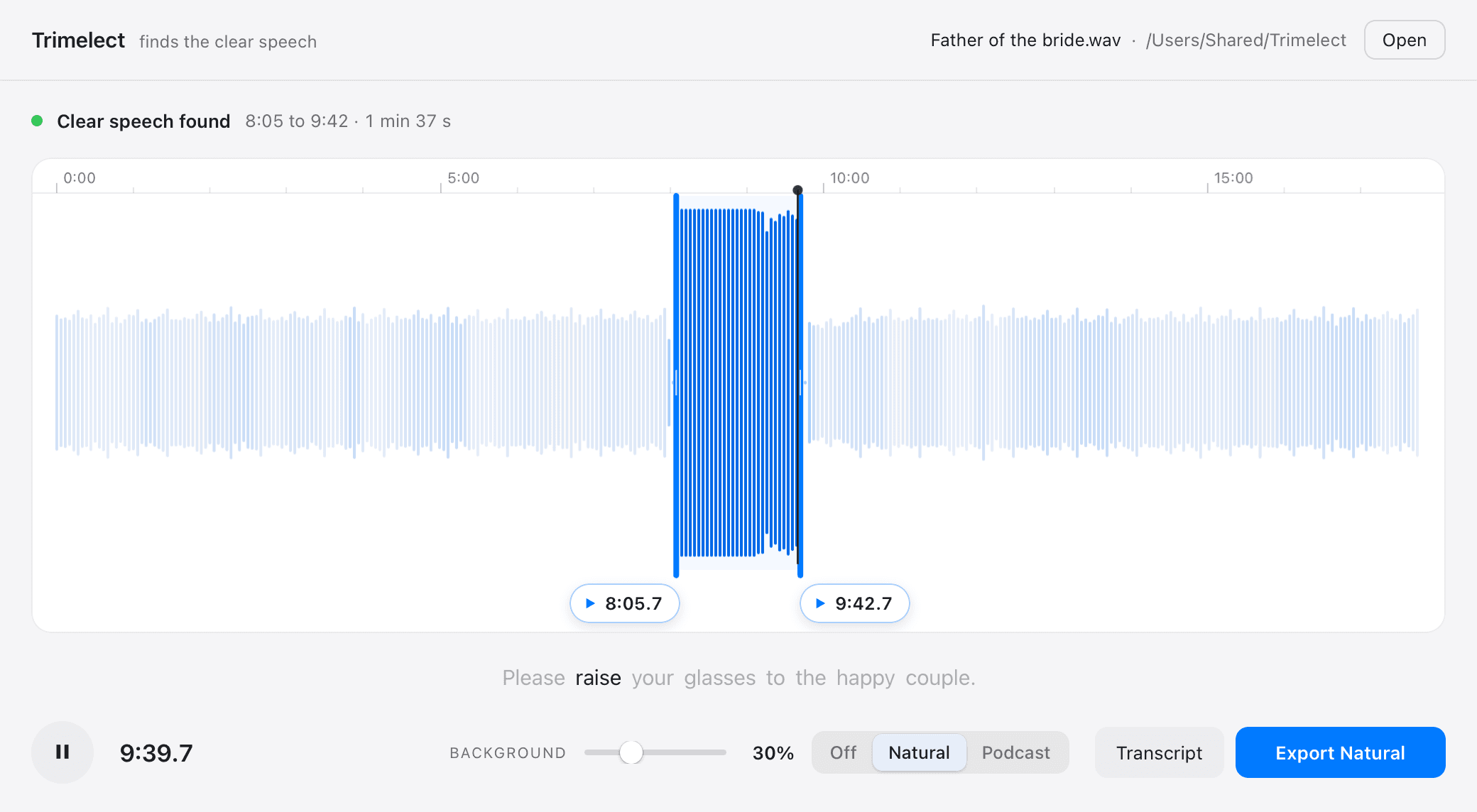
What it does
Drop the recording in.The speech is already marked.
A lav runs all day and the speech you need is buried somewhere in two hours of pocket rustle. Trimelect listens to all of it, finds the clear speech, sets the cuts in the pauses and writes the part you keep next to the original. When the room is louder than the microphone deserved, it cleans that up too, without sending your couple’s audio anywhere.

In their own voice
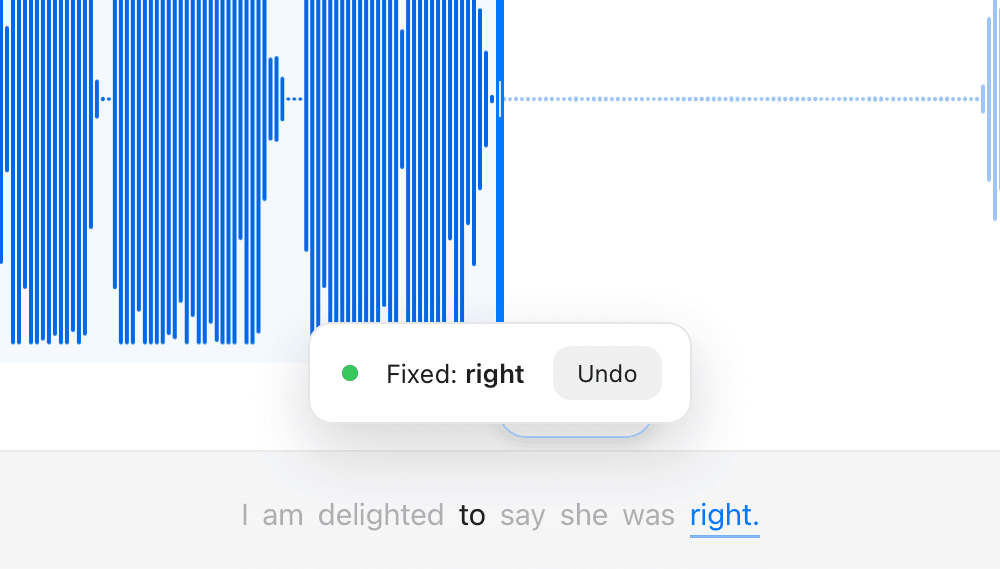
Fix the word they fluffed. Re-record the speech.
Trimelect writes a word by word transcript of the whole recording. Click a word to say it again or change it, up to three at a time, in the speaker’s own voice, laid back in with the room still underneath. Type new lines for them, as long as you like. And if a speech was missed, or only caught on a camera mic, save their voice from a clearer moment of the day: Re-record says the speech again in it, each line placed where it was said, so it lines up with the original.
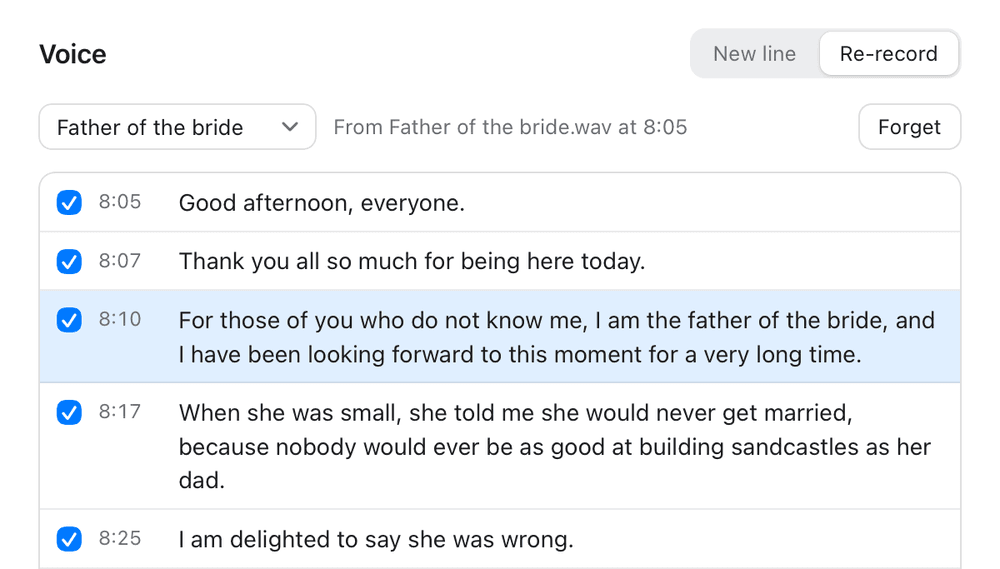
Only with the speaker’s permission. Trimelect asks before it learns a voice, keeps a voice on your Mac only when you save it, and every file it makes says so in its own details.
01
It finds the speech for you
Trimelect listens to the whole recording with Apple's own on-device sound analysis, marks where the speech is clear, and puts the cut points in the pauses. Two hours takes about two seconds. You listen across each cut and confirm.
02
Lossless, because nothing is re‑encoded
Export with Enhance off copies the audio stream straight through. What comes out is the recording you made, sample for sample, only shorter. No generation loss, no export bar to wait on.
03
Natural or Podcast
Natural takes out the hiss, hum and air conditioning and keeps the room. Podcast brings the voice forward, close and level. A Background slider sets how much of the room stays, and you hear every change instantly.
Try the trim here
Bring your own audio. It never leaves your machine.
Drop in an MP3 or WAV and this page gives you a taste: a real waveform, two handles, and playback of only what sits between them. Your browser decodes the file, so nothing is uploaded anywhere.
Your audio, your machine
Nothing is uploaded.
Or drop an MP3 or WAV here. Your browser decodes it, so it never leaves your machine.
Start
0:00.0
End
0:00.0
Kept length
0:00.0
Original
0:00.0
This is the browser doing a rough impression of the trim. Trimelect itself finds the clear speech for you, handles any length, exports without re-encoding, cleans up the room and fixes words in the speaker’s own voice.
The giveaway
Get Trimelect. It’s free.
Drop your email below and the download will begin straight away.
Good to know
- Requires an Apple Silicon Mac (M1 or newer) on macOS 14 Sonoma or later.
- MP3, WAV, M4A, AAC, AIFF, FLAC, OGG and Opus.
- Export with Enhance off is a true stream copy, so the audio is untouched. Natural and Podcast rebuild the file to clean it, so they write 320kbps MP3, FLAC or WAV to match what you put in.
- Transcript saves the words of the kept part as a text file, a sentence a line, timed to match the exported audio.
- The transcript and the voice tools download their models once, about 4.6 GB, the first time you use them. After that they work offline.
- Everything runs on your Mac. No account, no uploads, no subscription, nothing leaves the room.
- Coming from Trimma? Trimelect is the same app, grown up. Once it is in Applications, Trimma can go in the Bin.

