
Free Mac app for wedding filmmakers
Trimma
Keep the minute that matters. Lose nothing else.
Try it here
Bring your own audio. It never leaves your machine.
Drop in an MP3 or WAV and this page does what the app does: a real waveform, two handles, and playback of only what sits between them. Your browser decodes the file, so nothing is uploaded anywhere.
Your audio, your machine
Nothing is uploaded.
Or drop an MP3 or WAV here. Your browser decodes it, so it never leaves your machine.
Start
0:00.0
End
0:00.0
Kept length
0:00.0
Original
0:00.0
This is the browser doing a rough impression of the app. Trimma itself is faster, handles any length, exports without re-encoding, and can take the room noise out of a speech.
What it does
Drop the audio in. Take the good part out.
A speech runs eleven minutes and you need ninety seconds of it. Opening a full editor for that is a tax on the day. Trimma is the one window that does it: waveform, two handles, export. And when the room is louder than the microphone deserved, it can take the room out without sending your couple's audio anywhere.

01
Drag two handles. Keep the middle.
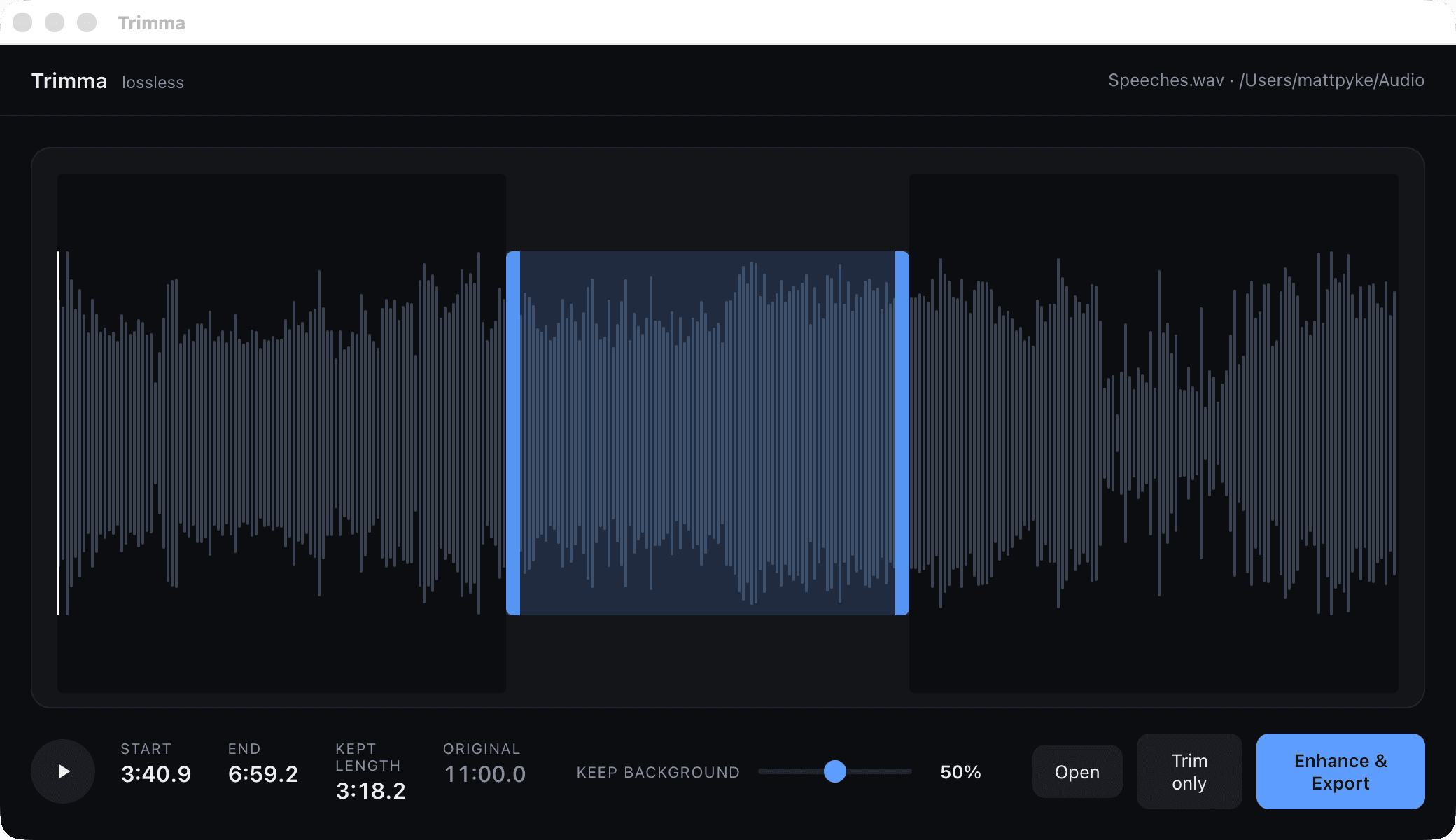
Drop the file in and the waveform is there. Pull the handles to the part worth keeping and watch Start, End and Kept length move with you. One click writes the new file next to the old one.
02
Lossless, because nothing is re-encoded
Trimma copies the audio stream straight through instead of decoding and rebuilding it. What comes out is the recording you made, sample for sample, only shorter. No generation loss, no export bar to wait on.
03
Take the room out of a speech
Every venue hands you hiss, hum and air conditioning underneath the best man. Trimma strips it on your own Mac, and a Keep background slider lets you decide how much of the room stays in.
The giveaway
Get Trimma. It's free.
Drop your email below and the download will begin straight away.
Good to know
- Requires an Apple Silicon Mac (M1 or newer).
- MP3, WAV, M4A, AAC, AIFF, FLAC, OGG and Opus.
- Trim only is a true stream copy, so the audio is untouched. Enhance and Export has to rebuild the file to remove the noise, so it writes 320kbps MP3, FLAC or WAV to match what you put in.
- ffmpeg travels inside the app. There is nothing to install and nothing to configure.
- Everything runs on your Mac. No account, no uploads, nothing leaves the room.

